
Set up your week of posts in one sitting.
7DayPost posts them on schedule to TikTok, Instagram, Facebook, Threads, YouTube and LinkedIn, from your own accounts. Free, no sign-up, no password.
Publishes to
- TikTok
- Threads
- YouTube
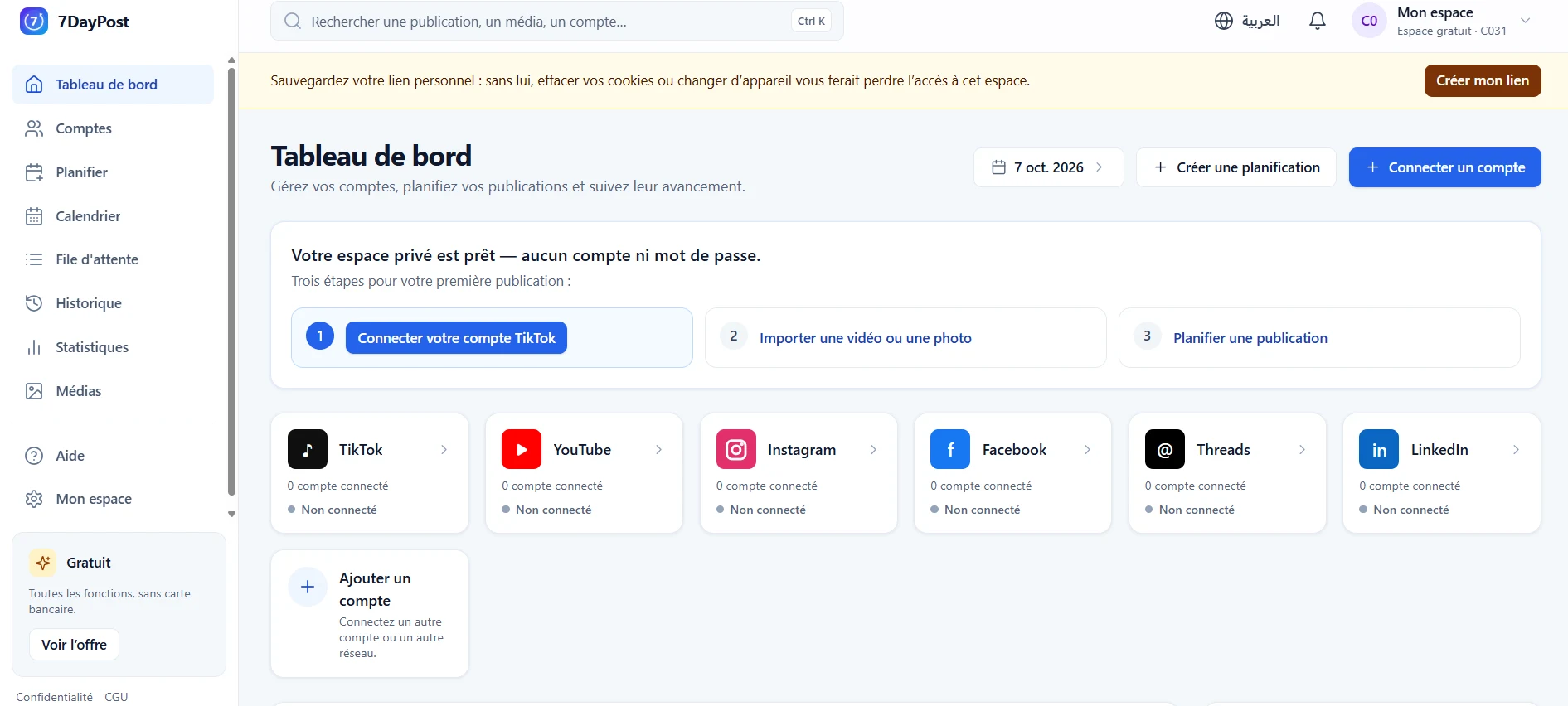
Four steps, then 7DayPost takes it from there
Open your workspace
One click on “Get started free”: your private workspace opens, with no account and no password.Connect your accounts
You authorise 7DayPost on each network’s own authorisation page; 7DayPost never sees your passwords. You can withdraw the authorisation at any time.Import and set up
Add your videos and photos, choose the accounts, each network’s settings, the days and the time window.Automatic publishing
At the planned time, 7DayPost posts to your accounts and you follow the progress until each platform confirms.
Six networks, one workspace
Each network has its own formats and rules: 7DayPost follows them, with only the permissions it needs. The status shown is the service’s status today.
TikTok
Available — private posts while the TikTok audit is in progressVideos and photos to your own TikTok account, posted directly or sent as drafts.
Good to know: Private posts and test accounts only, until TikTok completes its audit of 7DayPost.
Details and permissions — TikTokFacebook
AvailablePosts, photos and videos on the Facebook Pages you manage.
Good to know: While Meta reviews the app, only accounts with a role on the 7DayPost Meta app can connect.
Details and permissions — FacebookInstagram
AvailablePhotos, carousels and videos on your Instagram professional account linked to a Facebook Page.
Good to know: While Meta reviews the app, only accounts with a role on the 7DayPost Meta app can connect.
Details and permissions — InstagramThreads
AvailableText, images and videos on your Threads profile.
Good to know: While Meta reviews the app, only accounts with a role on the 7DayPost Meta app can connect.
Details and permissions — ThreadsYouTube
AvailableVideos on your YouTube channel.
Good to know: Google shows an “unverified app” screen until its verification is complete; just continue.
Details and permissions — YouTubeLinkedIn
AvailableText, images and videos on your personal LinkedIn profile.
Good to know: 60-day authorization, renewed in one click; you enter statistics yourself.
Details and permissions — LinkedIn
Every setting comes from your TikTok account
Before each post, 7DayPost asks TikTok what your account allows, and offers you only that. Nothing is chosen for you.
Creator information
The nickname of the account that will post is shown, as TikTok returns it.Privacy with no default
You choose who can see the video, among the options TikTok allows for your account.Interactions
Comments, duet and stitch are off by default, and greyed out if your account does not allow them.Commercial content
Your brand or branded content: the label TikTok requires is shown before sending.AI-generated content
A dedicated switch labels realistic content made with artificial intelligence.
What 7DayPost does
For creators and small businesses who prepare their posts ahead of time, instead of sending them one by one from their phone.
Media library
Import your videos and images once, reuse them everywhere. Images are prepared in the 1080 × 1920 vertical format and their metadata (including GPS location) is removed.
Several accounts, one schedule
Choose the target accounts, on one or several networks: spread the media between them, or post the same content a few minutes apart.
Each network’s own settings
TikTok privacy and interactions, YouTube visibility and the “made for kids” declaration, LinkedIn visibility, the target Facebook Page: every setting is shown explicitly.
Scheduled publishing
Spread your media over several days, on the days and within the time window you choose. The preview shows what will be published, where and when.
Upload tracking
The queue shows the real progress of each post: preparation, upload, processing by the platform, publication. If a post is refused, the reason is shown in plain words.
Send as a draft to TikTok
Prefer to finish it yourself? Send the video to your TikTok inbox: you edit it and post it from the TikTok app.
Commercial and AI-generated content
A TikTok post that promotes your own brand or a third party’s can be disclosed as such, and realistic AI-generated content can be labelled on TikTok and YouTube.
Per-post statistics
The figures of each post sent by 7DayPost, collected and dated: YouTube, Facebook Pages, Instagram, Threads; manual entry for LinkedIn. No TikTok statistics are read.
You stay in control
- Disconnect an account at any time: the authorisation is revoked at the platform where it allows it, and the tokens are erased.
- Delete your workspace from “Mon espace” (My workspace): accounts, media and history are erased immediately.
- A workspace not visited for 30 days is deleted automatically, unless it published successfully during that period; after 90 days without a visit, it is deleted in all cases.
- 7DayPost only publishes what you have set up and approved, never changes your existing posts and does not read your messages.
Frequently asked questions
Do I need to create an account?
No. “Get started free” opens a private workspace in one click, with no email address and no password. Your browser keeps it open with a cookie.
Which platforms are supported?
TikTok, Instagram, Facebook, Threads, YouTube and LinkedIn. The status of each one is kept up to date on the Platforms page.
A few limits remain until each platform completes its review of 7DayPost: Facebook, Instagram and Threads can only be connected by accounts that have a role on the 7DayPost Meta app; Google shows an “unverified app” screen before the YouTube authorisation; TikTok posts are private (“Only me”), and until TikTok approves the app, only TikTok accounts declared as test users can connect.
Why can’t I connect Facebook, Instagram or Threads?
The 7DayPost Meta app is still in Development mode: until Meta completes its review (App Review), Meta only allows accounts that have a role on that app to connect. Other accounts see an error message from Meta, and nothing is connected.
For Instagram, you also need a professional account linked to a Facebook Page.
Why is my TikTok video “private”?
Until TikTok has audited an application, it only accepts private posts from it. Your TikTok account must therefore be private, and posts go out as “Only me”. You can make them public from TikTok afterwards.
Ready to plan your week?
Your workspace opens in one click. Free, no credit card, no password.